• Touhou 6 New Classic Score Attack Ongoing!

    Read the submission rules, prizes and everything inbetween here:

    Good luck!

    Also check out the community art event here! Everyone is welcome!

Touhou Troubleshooting (Mainline+Spinoff)

Deliverer8099

Confident sleeper
Staff member
If the game doesn't start:

You could try restarting your PC, it's the easiest and sometimes fixes it, though not usually.

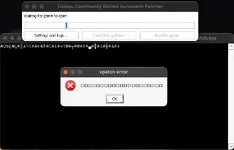
If you get an error and it's gibberish (and probably mentions DirectSound or DirectInput), you might need to emulate Japanese locale for the game or set your system locale as Japanese (might need PC restart). I've never used it myself, but Locale Emulator exists that I've heard others use.

If the error mentions Direct3D, a missing d3dx dll file, or error 0xc000007b, it's a DirectX error. Either you should reinstall the DirectX runtime, or more preferably for the game, use d3d8to9 or DXVK, which should come with some improvements besides fixing the error, like better input delay. To use it, you would want to put the d3d8.dll (or d3d9.dll if playing th10 or above and using DXVK) into the game's folder. For DXVK, the dll from the x32 folder if the game is 32bit, and x64 if it's 64bit. For 6-9.5 with DXVK, you'd want to include both its d3d8.dll and d3d9.dll
d3d8to9 is only for Touhou 6-9.5. If your device doesn't support the latest Vulkan, you can also use an older version of DXVK, like 1.10.3, 2.6.2, etc. DirectX 8 support was first added in DXVK version 2.4. DirectX 9 Touhou games are far less likely to have issues than DirectX 8.
These can also fix fullscreen related issues.
I'm also uncertain, but one DirectX error might be fixed with Japanese locale.

If you get an error that mentions "T&L HAL", it's one I don't have complete information on, but you could try putting the game to windowed mode through the vpatch.ini config or custom.exe. You could edit vpatch.ini to customize the size of the window. And if you have a screen that isn't 16:9, you could also try putting your screen to a 16:9 resolution in your display settings.

Another common solution to some problems seems to be re-extracting the game from the .zip

If the game still doesn't start after everything, you could look around in this thread, and in Windows Event Viewer to troubleshoot. The two most common issues are DirectX and Japanese locale. If you're on another OS, I'd be happy to try to help.

If the game runs:

With too much FPS (or maybe too low?), or with messy textures, d3d8to9 or DXVK should fix it.

If you want to change the controls on keyboard, there's this thcrap mod. Alternatively, you could also use key rebinding scripts. You can do that with AutoHotkey, or other programming language scripts.
 
Last edited:
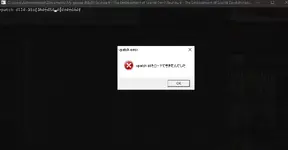
View attachment 10947
My friend everytime he tried to play touhou 6 for some reason he everytime got this error do you know how to fix it, he have every directx installed
It says vpatch.dll could not be found. I'm not sure if there's something wrong with that specific vpatch, but this might work.

Remove the vpatch stuff from the folder, and replace them with the ones from here https://en.touhouwiki.net/wiki/Game_Tools_and_Modifications#Vsync_Patches , there's a download button right below "Vsync Patches". After that, try to create a new thcrap instance. There's also a chance that the thcrap config (or something) is pointing incorrectly to vpatch, so it might be worth it to take a look and verify, and correct if so.

Edit: If vpatch won't work, the game should at least run with th06.exe or what's it called. I think it might be possible to configure thcrap to not use vpatch. Input delay won't be so great, but DXVK really improves it (d3d8to9 would also help if DXVK can't be used, but DXVK should be better). Before on Windows, I was also able to get better input delay by disabling fullscreen optimizations for the .exe and .dlls, but that was before using DXVK, and my friend got worse results by disabling those, but I'm gonna leave that here for documentation and people willing to try if they really wanna.

Edit 2: According to this page, you can configure the .exe Thcrap should use by editing the games.js file in thcrap\config. Maybe make sure that the config is pointing to vpatch.exe
 
Last edited:
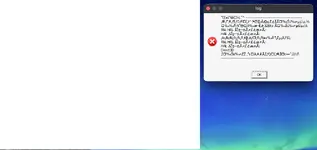
I'm on mac and this just wouldn't work at all, best I could get was a white screen or just a black screen. Help. (Yes I'm using wine)
 

Attachments

  • Screenshot 2025-08-29 at 12.11.19 AM.webp
    Screenshot 2025-08-29 at 12.11.19 AM.webp
    58.2 KB · Views: 0
  • Screenshot 2025-08-29 at 12.16.10 AM.webp
    Screenshot 2025-08-29 at 12.16.10 AM.webp
    23.2 KB · Views: 0
I'm on mac and this just wouldn't work at all, best I could get was a white screen or just a black screen. Help. (Yes I'm using wine)
Try emulating Japanese locale or putting your system locale as Japanese. I dunno how though. You might be able to use this, but I haven't tried: https://forum.winehq.org/viewtopic.php?t=28978 . Also probably make sure you have Japanese fonts installed.
Edit: If your Mac doesn't support 32 bit, you might also need to use WoW64. Good luck.
 
Last edited:
If the game doesn't start:

You could try restarting your PC, it's the easiest and sometimes fixes it, though not usually.

If you get an error and it's gibberish, you might need to emulate Japanese locale for the game or set your system locale as Japanese (might need PC restart). I've never used it myself, but Locale Emulator exists that I've heard others use.

If the error mentions Direct3D, it's a DirectX error. Either you should reinstall the DirectX runtime, or more preferably, use d3d8to9 or DXVK, which should come with some improvements besides fixing the error, like better input delay. To use it, you would want to put the d3d8.dll into the game's folder. For DXVK, the d3d8.dll from the x32 folder.

If the game runs but with too much FPS (or maybe too low?), or with messy textures, d3d8to9 or DXVK should fix it.

If you want to change the controls on keyboard, there's this thcrap mod. Alternatively, you could also use key rebinding scripts. You can do that wit
Try emulating Japanese locale or putting your system locale as Japanese. I dunno how though. You might be able to use this, but I haven't tried: https://forum.winehq.org/viewtopic.php?t=28978 . Also probably make sure you have Japanese fonts i

If the game doesn't start:

You could try restarting your PC, it's the easiest and sometimes fixes it, though not usually.

If you get an error and it's gibberish, you might need to emulate Japanese locale for the game or set your system locale as Japanese (might need PC restart). I've never used it myself, but Locale Emulator exists that I've heard others use.

If the error mentions Direct3D, it's a DirectX error. Either you should reinstall the DirectX runtime, or more preferably, use d3d8to9 or DXVK, which should come with some improvements besides fixing the error, like better input delay. To use it, you would want to put the d3d8.dll into the game's folder. For DXVK, the d3d8.dll from the x32 folder.

If the game runs but with too much FPS (or maybe too low?), or with messy textures, d3d8to9 or DXVK should fix it.

If you want to change the controls on keyboard, there's this thcrap mod. Alternatively, you could also use key rebinding scripts. You can do that with AutoHotkey, or other programming language scripts.
For some reason my inputs keep getting stuck. Is there any fix for this?
 
Try emulating Japanese locale or putting your system locale as Japanese. I dunno how though. You might be able to use this, but I haven't tried: https://forum.winehq.org/viewtopic.php?t=28978 . Also probably make sure you have Japanese fonts installed.
Edit: If your Mac doesn't support 32 bit, you might also need to use WoW64. Good luck.
I fixed it by changing my cfg to windowed instead of fullscreen, not sure why it worked.
 
Some of the games crash mid run for me, i had this happen on 10 and 13, no error message, I had tried them with and without english translation patch and vpatch, might be related to the latest windows 11 update. Any ideas?


I tried downloading them again and it still happens.
 
Some of the games crash mid run for me, i had this happen on 10 and 13, no error message, I had tried them with and without english translation patch and vpatch, might be related to the latest windows 11 update. Any ideas?


I tried downloading them again and it still happens.
DXVK or reinstalling the DirectX Runtime MIGHT help.
 
DXVK or reinstalling the DirectX Runtime MIGHT help.
Tried that and went trubleshooting with the event viewer on windows, it threw a 0xc0000374 code, pointing to a conflict with a system32 file (ntdll.dll), so my windows installation is just borked lol (can't format rn so ill just wait), thank you for the help though. I hope it's only an issue on my end.
 
Tried that and went trubleshooting with the event viewer on windows, it threw a 0xc0000374 code, pointing to a conflict with a system32 file (ntdll.dll), so my windows installation is just borked lol (can't format rn so ill just wait), thank you for the help though. I hope it's only an issue on my end.
You can open cmd and enter
Code:
sfc /scannow
to repair windows files, that happened recently to me and fucked my steam client, so I did that and fixed my windows.
 
soooo the game runs fine, but the fps caps at 30. this ONLY happens on th9 and no other games. even EoSD runs like it's supposed to .

Win11. RTX 3070. tried the dxvk thing. didn't work.
 
My ideas:
Check your config files (probably including custom.exe) for the game. Maybe also try going into Nvidia control panel, Manage 3D settings, Program Settings, and check the Max Frame Rate option for Touhou 9. Maybe you could try to manually set it to 60, too.
Try both windowed and fullscreen mode.
Try running the game without vpatch/thcrap with the normal .exe
Edit: Someone in a different thread had similar FPS issues, and it was fixed by unplugging their mouse.
 
soooo the game runs fine, but the fps caps at 30. this ONLY happens on th9 and no other games. even EoSD runs like it's supposed to .

Win11. RTX 3070. tried the dxvk thing. didn't work.
(Meant to reply to this. Message above, in case you weren't pinged. I'm sleepy lmao)
 
My ideas:
Check your config files (probably including custom.exe) for the game. Maybe also try going into Nvidia control panel, Manage 3D settings, Program Settings, and check the Max Frame Rate option for Touhou 9. Maybe you could try to manually set it to 60, too.
Try both windowed and fullscreen mode.
Try running the game without vpatch/thcrap with the normal .exe
Edit: Someone in a different thread had similar FPS issues, and it was fixed by unplugging their mouse.
So the really weird thing....is that the solution to the problem was actually the input settings in config. they were set to direct input (controller, basically), and when i changed it to keyboard (who tf plays touhou with controller), that put it back on the proper 60. weird how that works, but hey, sometimes computer problems are solved with PFM (Pure F****** Magic)
 
I've managed to get it working! The things I did:

- Installed locale emulator (need to run the .exe to play)
- Put d3d8 on game folder
- Open the Settings:
- Set FPS to 60
- Change from Fullscreen to Windowed
 
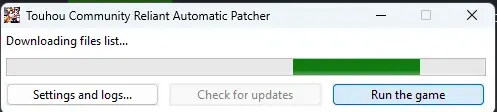
me tire uma dúvida, eu iniciei o touhou a 1 hora, e ele simplesmente fica nessa tela carregando, e se eu aperto "run the game" simplesmente trava

1761468338151.webp
 
Back
Top