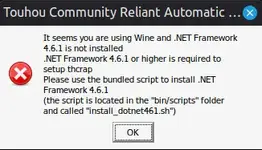
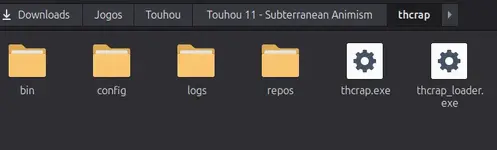
In my own case, I think all I need to do is get Bottles from Flathub, make a gaming Bottle, go to its bottle directory in my file manager and move the game files into a directory in the c_drive (in my case, and to give an example, /home/deliverer/.var/app/com.usebottles.bottles/data/bottles/bottles/[bottle_name]/drive_c/touhou ), then I can just add a shortcut in Bottles for the exe I want to run that's in the c_drive and run it. I think I'll be prompted to install Mono when first running the Wine version though, which I do, and I think I'll need to run the game twice as thcrap updates. Some other steps I take is putting the locale to Japanese as some games want it (which I can do in Bottles in Bottle, Settings, and Language in the Compatibility section, though it will also make Wine be Japanese, like when prompting to install Mono), and I also get cjkfonts (at Bottle, Dependencies).
As I am running Wayland, I like to enable the Wayland (Experimental) option to reduce input delay, but it can cause issues sometimes, as Wine Wayland support isn't as good. If you're running X11, that isn't really a concern (though disabling your compositor there can help a bit with input delay). But if you're on Wayland and have issues with Wine Wayland, you might have better luck with it if you get a newer Wine version. In Bottles, outside the Bottle, you can get a different Wine version from the hamburger menu at top right, Preferences, Runners, and I'd personally probably recommend a Kron4ek-staging-tkg version.