

Navigation
Install the app
How to install the app on iOS
Follow along with the video below to see how to install our site as a web app on your home screen.
Note: This feature may not be available in some browsers.
More options
You are using an out of date browser. It may not display this or other websites correctly.
You should upgrade or use an alternative browser.
You should upgrade or use an alternative browser.


CameForTheMusic
Onshi



blarg
Onshi
Have you had any luck with finding one that is safe?? i wanna play this on my steam deck soooo badevery touhou 7 i can find is flagged by virustotal...

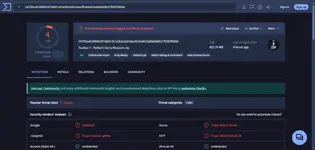
faaaaaaaaallllllllsssssssseeeeeee positive.VirusTotal ended up pulling up these results after scanning. Is it just a false positive or something more?

It's a false positive, but if you're displeased, you can run it in a sandbox. Bottles works good. Though to use it, you'll have to transfer the files to the C drive of the prefix, located at /home/<user>/.var/app/com.usebottles.bottles/data/bottles/bottles/<bottle_name>/drive_c/Have you had any luck with finding one that is safe?? i wanna play this on my steam deck soooo bad
.var is a hidden folder, so you'd have to enable visibility for it or type it into the search bar. On keyboard, I use ctrl+h, but it's probably also in the settings somewhere.
Edit: Bottles also includes a language option in the bottle's settings, which changes the locale. I recommend putting that to Japanese!
Edit 2: Bottles prefixes' location on the Steam Deck might be slightly different, actually, since the deck is immutable. But to see where your bottle is, you can just enter it in the program, press the 3 buttons on the top right, and click Browse Files.
Last edited:
blarg
Onshi
faaaaaaaaallllllllsssssssseeeeeee positive.
Thank yall so much!! i appreciate the quick responses!!! ヾ(@^▽^@)ノIt's a false positive, but if you're displeased, you can run it in a sandbox. Bottles works good. Though to use it, you'll have to transfer the files to the C drive of the prefix, located at /home/<user>/.var/app/com.usebottles.bottles/data/bottles/bottles/<bottle_name>/drive_c/
.var is a hidden folder, so you'd have to enable visibility for it or type it into the search bar. On keyboard, I use ctrl+h, but it's probably also in the settings somewhere.
Edit: Bottles also includes a language option in the bottle's settings, which changes the locale. I recommend putting that to Japanese!
Np! I just know sometimes, people don't get responses with issues, at least quick, so I went and checked the latest forum activity in case there was anyone I could help out.Thank yall so much!! i appreciate the quick responses!!! ヾ(@^▽^@)ノ

osamu.enthusiast
Onshi
I know this is a stupid question since i already downloaded the game, but when i tried to launch the patched version it opened a command prompt so i deleted it thinking it was malware. Was it really a virus or is it just the thcrap? Again sorry for asking i just want to make sure lol
blarg
Onshi
its completely fine thats just the English patch downloading. I think it has something to do with getting the updated files off the internet for the first time set up.I know this is a stupid question since i already downloaded the game, but when i tried to launch the patched version it opened a command prompt so i deleted it thinking it was malware. Was it really a virus or is it just the thcrap? Again sorry for asking i just want to make sure lol

MToucan60
Onshi
Whenever I start it forces me into fullscreen. Then when I exit fullscreen it puts me in that really ugly mode where it's 2x size but this game was made before ZUN started making them that way so it's all pixelated and ugly.
MToucan60
Onshi
I figured out how to disable the fullscreening but it's still in 2x size mode. I want to play it at the same resolution as the Japanese version.Whenever I start it forces me into fullscreen. Then when I exit fullscreen it puts me in that really ugly mode where it's 2x size but this game was made before ZUN started making them that way so it's all pixelated and ugly.
Applying d3d8to9 or DXVK could fix that for EoSD.I caved and started playing it in fullscreen. It's so much easier (relatively speaking), I guess I just didn't want to because when I tried fullscreen EoSD it jumped to eighty trillion FPS.

Izumi
Onshi
th 7 the scenarios are in jp instead of english is there a fix available?


loypop51
Onshi
yipe