I have old shitty instructions on how to fix this, so forgive me if some of the steps are incorrect. IIRC, you'll need a hex editor to bypass the crash. I used cheat engine. Here are the steps below:
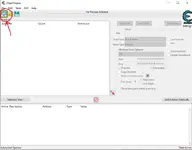
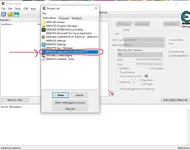
- Open Cheat Engine and load the game process
View attachment 10208View attachment 10209
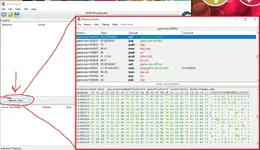
- Click on "Memory View"
View attachment 10211
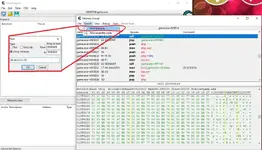
- At the top bar, click "Search", "Find memory", click "(Array of) byte", and search for the lines "E8 48 24 FC FF"
View attachment 10212
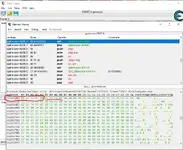
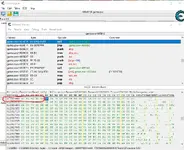
- Once you find "E8 48 24 FC FF" replace them all with 90.
View attachment 10213
View attachment 10214
- You should be all set. No more crashing hopefully. DO NOTE: You need to do this EVERY TIME you open the game.
To make things quicker, you can sometimes save the memory location. In the memory viewer window, you would click "File", "Save memory region", and to load, you would click "Load memory region". The memory region itself would be the starting address plus column - i.e. in this example, if I were to save the memory region, I would save address from 012826B3 to 012826B7. In this example 012826 is the horizontal line with the added columns B3 through B7, which is what we changed.
DO NOTE: Sometimes the address will change. If you load a saved memory region and the game crashes, then the address where "E8 48 24 FC FF" has changed. When this happens, just search it up manually, change it back to 90, and save a new memory region.
Hope this helps.