kanedafanatic
Made more sense to put Tetsuo instead of Kaneda.
Made more sense to open it in this sub-forum instead of the Derivative Works one, given that it's related to modding.
Long story short: it's likely that FMW could have some baller-ass modding. Something that extends further on what's available/what people made already. S9-L/SQ-L made tools/patches for the game that allows to bring back unused/altered assets for characters (personal skills and attacks as far as I know), edit save files and addition/replacement of files (AddOns/modData folders respectively). With the help of SQ-L, Sanoi777 made a modding/extraction tool which has the possibility to, well... mod the game. However for that particular tool, it doesn't seem to work on my copies; the step involving the data.win patching gives me a checksum mismatch (XD3_INVALID_INPUT) on DeltaPatcher. Maybe for someone else that is interested, it could work on their end. Not only that, with the Undertale Mod Tool, the game's code can be edited. Possible things to do would be to implement new mechanics such as bigger maps, add new stages, replace animations and so on.
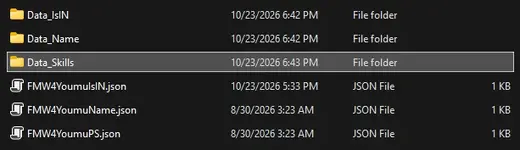
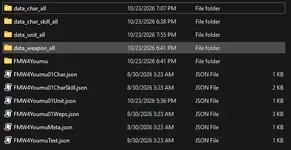
With the modData folder, the extracted game files from Sanoi777's tool can be used to experiment where SQ-L's AddOns' folder templates can't/haven't been implemented yet. Data used for stages (file: Data_Stage.txt) can be used using the modData folder to change values, where SQ-L's .json doesn't have it implemented yet.
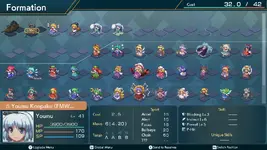
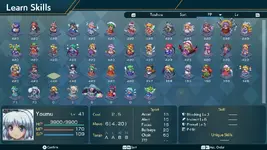
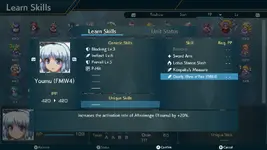
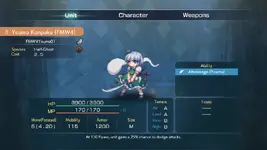
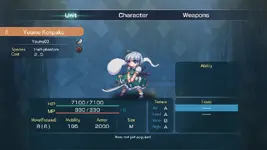
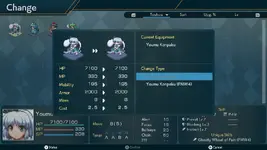
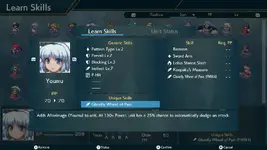
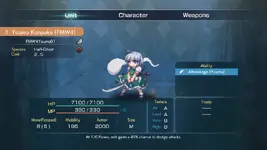
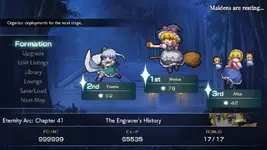
On my end, I've been experimenting with that. I'm still a beginner but on my end, I've managed to change textures and images, text and dialog, enemies (X and Y values, unit/character ID, inert values such as HP/MP/Upgrades and so on) and music as far as I can remember. A majority of stuff that allows modding seems to be hidden within the game itself: where the usage of UMT is required (and someone who's familiar with UMT can instruct me on how to use it.)
---
Personal section: I have a love-hate relationship with this game. Like, I love building characters with it because the customization allows you to make really cool builds with generic skills and items. It's pleasing to look at, both for the character's animations and the maps themselves. However, I hate how this game is balanced. Difficulties are scripted: enemies are assigned by hand (data5-3) and AI behavior is gatekept between difficulties. A strategy game shouldn't restrict it's AI's full capabilities on the most hardest difficulty and should instead be handled by the player with a toggle. A strategy game on it's hardest difficulty shouldn't be forcing you to retry countless times, just to grind XP because that said difficulty was designed for NG+ more than anything else. Among other things, it's not perfect. FMW has a good baseplate to build upon because of it's assets, but the execution leaves to be desired.
So I thought that I could likely change the game to my likings. Adding a challenge mode similar to Project Wingman's Conquest Mode (I dunno how to explain it correctly: you conquer territories on this huge map. To conquer a territory, you do a "challenge", then a "boss" unit shows up and if you don't die, you get this territory) is one of them by using the maps and assets of the game. Change difficulty behavior to be scaled according to the player's loadout on start: if I want to play a solo run for example, I don't see why the game should be forcing me to DPS check every boss to catch their spell card with huge health pools when the AI can simply defend or use Spirit Commands wisely. However, if I have a LOT of units, then it makes sense to make the AI more resistant instead. Might as well say that I like building character but, FMW's scripted nature doesn't allow for much: overhauling the economy of this game with how Points, PP and WP are handled is something I'm subjecting to change. I could go further if I want: this game hold a lot of potential for modding, rather that it's barely talked about.
At the end, I've never finished the game. Stupid, I know: I'm more fixated on the game design and assets than the game itself.
(edit: I'm stupid, I forgot to add the reason why I'm making this whole thread. I also want to share the progress I'm doing.)
Long story short: it's likely that FMW could have some baller-ass modding. Something that extends further on what's available/what people made already. S9-L/SQ-L made tools/patches for the game that allows to bring back unused/altered assets for characters (personal skills and attacks as far as I know), edit save files and addition/replacement of files (AddOns/modData folders respectively). With the help of SQ-L, Sanoi777 made a modding/extraction tool which has the possibility to, well... mod the game. However for that particular tool, it doesn't seem to work on my copies; the step involving the data.win patching gives me a checksum mismatch (XD3_INVALID_INPUT) on DeltaPatcher. Maybe for someone else that is interested, it could work on their end. Not only that, with the Undertale Mod Tool, the game's code can be edited. Possible things to do would be to implement new mechanics such as bigger maps, add new stages, replace animations and so on.
With the modData folder, the extracted game files from Sanoi777's tool can be used to experiment where SQ-L's AddOns' folder templates can't/haven't been implemented yet. Data used for stages (file: Data_Stage.txt) can be used using the modData folder to change values, where SQ-L's .json doesn't have it implemented yet.
On my end, I've been experimenting with that. I'm still a beginner but on my end, I've managed to change textures and images, text and dialog, enemies (X and Y values, unit/character ID, inert values such as HP/MP/Upgrades and so on) and music as far as I can remember. A majority of stuff that allows modding seems to be hidden within the game itself: where the usage of UMT is required (and someone who's familiar with UMT can instruct me on how to use it.)
---
Personal section: I have a love-hate relationship with this game. Like, I love building characters with it because the customization allows you to make really cool builds with generic skills and items. It's pleasing to look at, both for the character's animations and the maps themselves. However, I hate how this game is balanced. Difficulties are scripted: enemies are assigned by hand (data5-3) and AI behavior is gatekept between difficulties. A strategy game shouldn't restrict it's AI's full capabilities on the most hardest difficulty and should instead be handled by the player with a toggle. A strategy game on it's hardest difficulty shouldn't be forcing you to retry countless times, just to grind XP because that said difficulty was designed for NG+ more than anything else. Among other things, it's not perfect. FMW has a good baseplate to build upon because of it's assets, but the execution leaves to be desired.
So I thought that I could likely change the game to my likings. Adding a challenge mode similar to Project Wingman's Conquest Mode (I dunno how to explain it correctly: you conquer territories on this huge map. To conquer a territory, you do a "challenge", then a "boss" unit shows up and if you don't die, you get this territory) is one of them by using the maps and assets of the game. Change difficulty behavior to be scaled according to the player's loadout on start: if I want to play a solo run for example, I don't see why the game should be forcing me to DPS check every boss to catch their spell card with huge health pools when the AI can simply defend or use Spirit Commands wisely. However, if I have a LOT of units, then it makes sense to make the AI more resistant instead. Might as well say that I like building character but, FMW's scripted nature doesn't allow for much: overhauling the economy of this game with how Points, PP and WP are handled is something I'm subjecting to change. I could go further if I want: this game hold a lot of potential for modding, rather that it's barely talked about.
At the end, I've never finished the game. Stupid, I know: I'm more fixated on the game design and assets than the game itself.
(edit: I'm stupid, I forgot to add the reason why I'm making this whole thread. I also want to share the progress I'm doing.)
Last edited: