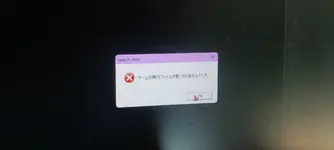
If the game doesn't start:
You could try restarting your PC, it's the easiest and sometimes fixes it, though not usually.
If you get an error and it's gibberish (and probably mentions DirectSound or DirectInput), you might need to emulate Japanese locale for the game or set your system locale as Japanese (might need PC restart). I've never used it myself, but
Locale Emulator exists that I've heard others use.
If the error mentions Direct3D, a missing d3dx dll file, or something about dll injection, it's a DirectX error. Either you should reinstall the
DirectX runtime, or more preferably for the game, use
d3d8to9 or
DXVK, which should come with some improvements besides fixing the error, like better input delay. To use it, you would want to put the d3d8.dll (or d3d9.dll if playing th9.5 or above and using DXVK) into the game's folder. For DXVK, the dll from the x32 folder if the game is 32bit, and x64 if it's 64bit. For 6-9 with DXVK, you'd want to include both its d3d8.dll and d3d9.dll
d3d8to9 is only for Touhou 6-9. If your device doesn't support the latest Vulkan, you can also use an older version of DXVK, like 1.10.3, 2.6.2, etc. DirectX 8 support was first added in DXVK version 2.4. DirectX 9 Touhou games are far less likely to have issues than DirectX 8.
If you get an error that mentions "T&L HAL", it's one I don't have complete information on, but you could try putting the game to windowed mode through custom.exe or the vpatch config. You could edit the vpatch config to customize the size of the window. And if you have a screen that isn't 16:9, you could also try putting your screen to a 16:9 resolution in your display settings.
If the game still doesn't start after everything, you could look around in this thread, and in Windows Event Viewer to troubleshoot. The two most common issues are DirectX and Japanese locale. If you're on another OS, I'd be happy to try to help.
If the game runs:
With too much FPS (or maybe too low?), or with messy textures, d3d8to9 or DXVK should fix it.
If you want to change the controls on keyboard, there's
this thcrap mod. Alternatively, you could also use key rebinding scripts. You can do that with AutoHotkey, or other programming language scripts.


 i also tried running it from the 東方紅魔郷.exe and it gives me nothing at all.