• Touhou 6 New Classic Score Attack Ongoing!

    Read the submission rules, prizes and everything inbetween here:

    Good luck!

    Also check out the community art event here! Everyone is welcome!

Touhou Troubleshooting (Mainline+Spinoff)

eosd crashes on launch with the hitbox patch on (it is specifically d3d8.dll that causes it)

It was working fine yesterday, I then installed directx legacy runtime to try and fix another issue, the game still worked with the hitbox patch applied but after restarting my computer it now opens then immediately closes on launch

I don't think I can revert the directx legacy installation, so I'm assuming it's just permanently broken

Is there another hitbox patch for eosd I can use?
I think I remember the retexture mod including a hitbox, though I'm not sure. But if you mean d3d8to9 or DXVK's d3d8.dll, maybe you could try the other one to see if the issue still happens with that.
 
Im having an issue with the games 6 7 8 and 15 all crashing after a certain period of time within the game. It can be somewhat consistent timing but also not really. I dont have any random popup telling me what it is, it just freezes and closes the game. Ive tried a bunch of fixes or tweaks like changing around the custom patch settings, using fullscreen/window, changing vsync, download the d3d8, running admin, restarting. I have no idea what it could be. If anyone has any ideas please do let me know. 8 Oddly enough is the only one ive been able to play fully once without any issues.
 
im currently having an issue where it wont even open or give me an error log or anything.

originally itd open as a background process and nothing else, but now it doesnt even do that?
it only does this when i try to run it on the emulator; when i run it as is it gives me the error message about directinput.

i tried running it directly from the vpatch.exe and it does the same; emulator gives me nothing and no emulator gives me a directinput error message.
this issue is with touhou 6.. i don't know how to fix it :( i also tried running it from the 東方紅魔郷.exe and it gives me nothing at all.
 
im currently having an issue where it wont even open or give me an error log or anything.

originally itd open as a background process and nothing else, but now it doesnt even do that?
it only does this when i try to run it on the emulator; when i run it as is it gives me the error message about directinput.

i tried running it directly from the vpatch.exe and it does the same; emulator gives me nothing and no emulator gives me a directinput error message.
this issue is with touhou 6.. i don't know how to fix it :( i also tried running it from the 東方紅魔郷.exe and it gives me nothing at all.
I'm unsure, but maybe try applying d3d8to9 or DXVK. If that won't work, maybe sfc /scannow in an admin cmd/powershell. If not even that, maybe setting your system locale as Japanese instead of using Locale Emulator. You could also check custom.exe and disable DirectInput there if it's enabled (or try enabling it, though I'm skeptical about that helping), but I don't think it should be enabled by default. I think there's also a "reset to default" sort of button somewhere in custom, which you should not press, as I've read doing that can cause an issue.
 
Hello, i am THE directX error and i came to tell you; if the error appeared to you after getting vpatch + thcrap; open your game custom file and change the setting for your game to open as windowed instead of full screen.
with kind regards, directX error
(apologies if this message goes against the soul of this website/thread. i came here to share my wisdom, that is all.)
 
If the game doesn't start:

You could try restarting your PC, it's the easiest and sometimes fixes it, though not usually.

If you get an error and it's gibberish (and probably mentions DirectSound or DirectInput), you might need to emulate Japanese locale for the game or set your system locale as Japanese (might need PC restart). I've never used it myself, but Locale Emulator exists that I've heard others use.

If the error mentions Direct3D, a missing d3dx dll file, or something about dll injection, it's a DirectX error. Either you should reinstall the DirectX runtime, or more preferably for the game, use d3d8to9 or DXVK, which should come with some improvements besides fixing the error, like better input delay. To use it, you would want to put the d3d8.dll (or d3d9.dll if playing th9.5 or above and using DXVK) into the game's folder. For DXVK, the dll from the x32 folder if the game is 32bit, and x64 if it's 64bit. For 6-9 with DXVK, you'd want to include both its d3d8.dll and d3d9.dll
d3d8to9 is only for Touhou 6-9. If your device doesn't support the latest Vulkan, you can also use an older version of DXVK, like 1.10.3, 2.6.2, etc. DirectX 8 support was first added in DXVK version 2.4. DirectX 9 Touhou games are far less likely to have issues than DirectX 8.

If you get an error that mentions "T&L HAL", it's one I don't have complete information on, but you could try putting the game to windowed mode through custom.exe or the vpatch config. You could edit the vpatch config to customize the size of the window. And if you have a screen that isn't 16:9, you could also try putting your screen to a 16:9 resolution in your display settings.

If the game still doesn't start after everything, you could look around in this thread, and in Windows Event Viewer to troubleshoot. The two most common issues are DirectX and Japanese locale. If you're on another OS, I'd be happy to try to help.

If the game runs:

With too much FPS (or maybe too low?), or with messy textures, d3d8to9 or DXVK should fix it.

If you want to change the controls on keyboard, there's this thcrap mod. Alternatively, you could also use key rebinding scripts. You can do that with AutoHotkey, or other programming language scripts.
Oh my gah...

1k fps...
 
the game functions well and all but every time it boots up in japanese instead of english
Have you tried running the thpatch-en exe if there's one? If not, maybe you could run thcrap and make a patch. If there's no thcrap for your game, you could download and set it up.
 
Have you tried running the thpatch-en exe if there's one? If not, maybe you could run thcrap and make a patch. If there's no thcrap for your game, you could download and set it up.
I tried to run thpatch-en but it just boots up the Japanese version and when I try to patch the game with lang_en with thcrap it doesn't read the game even though I direct it to the game folder so I can't install the patch using thcrap
 
um... every time i run a touhou game that's 14 and higher, i always get the 0xc000007b error message. how do i fix it? :')
 
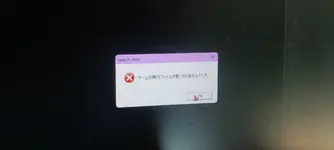
1000077068.webpI keep getting this 'game executable not found' error. If I try to run the english patch and the t&l and hal one if I try to run the original japanese executable. I know someone else also got the same issu but their solution of setting the device region to japan didnt fix my issue.
 
I keep getting this 'game executable not found' error. If I try to run the english patch and the t&l and hal one if I try to run the original japanese executable. I know someone else also got the same issu but their solution of setting the device region to japan didnt fix my issue.
For T&HAL one, you could try running the game in windowed mode, I think you can change it to that in custom.exe (or vpatch.ini if using vpatch, with like AskWindowMode = 1).
I don't really know why vpatch gives "game executable not found" though. Maybe you could try re-extracting the game from the zip? Don't rename anything if you have. Maybe also Japanese locale?
 
I got th6 to run but when I open the game it just goes into the game at insane spped with no controls and if I press a key it goes into the start menu but I hve to hold it down and also the spped at wich I cycle through the options with if I just lightly tap the up or down Key ist lso crazy fast
I tried to attach a video of it but its to large

has anyone a clue what could be wrong
 
Back
Top