- Admin
- #1
I've got no Mac and I've got no clue. I tried to look it up, but didn't find anything.
Last edited:
Follow along with the video below to see how to install our site as a web app on your home screen.
Note: This feature may not be available in some browsers.

Were you ever able to get Touhou 6 working? I can't get Direct3D to initalize at all even though I installed DirectX for Pre-Windows XP Games.I use crossover, specifically the trial version.
It has a time limit but if you’re ok with downloading a plist editor and changing the start date every once and a while it’s great!
im open to any questions if you’re still wondering something!
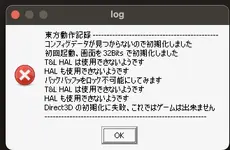

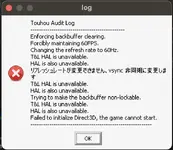
i did get it working but I can’t remember exactly what i did.Were you ever able to get Touhou 6 working? I can't get Direct3D to initalize at all even though I installed DirectX for Pre-Windows XP Games. View attachment 12060
Fullscreen shows the error above. Windowed shows the loading screen with the music playing but nothing else. I've tried all 4 graphics backends with nothing working. I was able to get PCB open in windowed, but full screen didn't work for that either.i did get it working but I can’t remember exactly what i did.
Are you using thcrap?
And are you trying to start the game in windowed or fullscreen?
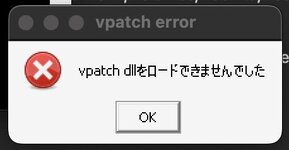
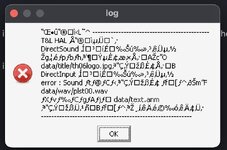
I think the second error might be solved by emulating Japanese locale. The first one is a vpatch error. You might have luck if you grab vpatch from the Touhou wiki (from the Download button below "Vsync Patches" at the title) and replace the vpatch files with those.Error messages ><
Did you actually manage to update Touhou? When I manually updated it with Wine, it spoke of a Z drive in the update message, but the game didn't update. To make it work, I had to launch winecfg, and at Drives create a D directory, and make it point to the game folder.I used a redump disc with the original EoSD installer. I tried updating to the latest EoSD version, but that fixed nothing. THCRAP only translated the error to English. I'm also having FPS issues with DDC where it runs around 112 FPS, and vpatch consistently crashes DDC.
Well, since it used the install discs, it installed it to Wine's drive instead of my home folder, so for all it knew, it was on the system partition. I just had to drag the installer into the install directory.Did you actually manage to update Touhou? When I manually updated it with Wine, it spoke of a Z drive in the update message, but the game didn't update. To make it work, I had to launch winecfg, and at Drives create a D directory, and make it point to the game folder.
I replaced the files and I'm still having the same issue T-TI think the second error might be solved by emulating Japanese locale. The first one is a vpatch error. You might have luck if you grab vpatch from the Touhou wiki (from the Download button below "Vsync Patches" at the title) and replace the vpatch files with those.