• Touhou 6 New Classic Score Attack Ongoing!

    Read the submission rules, prizes and everything inbetween here:

    Good luck!

    Also check out the community art event here! Everyone is welcome!

The editor does not allow to save long posts and many images

vanyk

Shrine Maiden
I was fixing the images in one of my posts and I found out that it is impossible to save long posts now.

1741550066986.png

In addition the editor doesn't allow to save posts with many images anymore

1741550152319.png
 
Hmm, Might have to put that into an actual article than a forum post. I can create a section for that. I rather not disable the limit for forum posts as that could become unstable but with artichles, there is no limit.
 
I have given you the contributor role as well as that is what is needed to post there.
Thank you.
Is it possible to leave comments to the articles? Because I publish articles not only for sharing the information, but also to discuss them.

It also seems like Moriya Shrine's articles dissapeared. Or they were moved to other place?

I am also planning to bring this post back, which seems to be deleted after the site moved. Thread format is more preferable, so I wonder if there would be limitations with such kind of posts (if the thread format can cause problems, I will publish it as an article.
 
Articles are mostly used just to provide information. Not meant to be discussed.

In that case, I'll increase the character limit to 80000. I do not want to disable it as it could cause database instability.

The Moriya Shrine articles, I accidentally removed them. Mis-clicked. I'll post them back later this evening.

With all that said, I'll remove the community articles section and you can continue posting it as you would normally have done.
 
Articles are mostly used just to provide information. Not meant to be discussed.

In that case, I'll increase the character limit to 80000. I do not want to disable it as it could cause database instability.

The Moriya Shrine articles, I accidentally removed them. Mis-clicked. I'll post them back later this evening.

With all that said, I'll remove the community articles section and you can continue posting it as you would normally have done.
Thank you it works now.
 
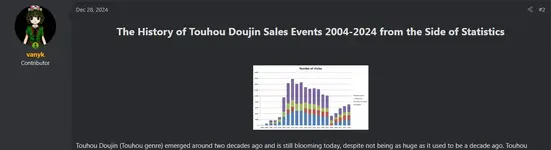
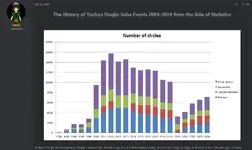
I am sorry, but is it intentional that you cannot see images in good quality if you are not logged in?

How it looks like when you are not logged in.
1741712389440.webp


How it looks like when you are logged in.
1741712448030.webp
 
Sadly the problem still remains

1741895826472.webp

I want to edit this post because it looks weird when you are not logged it.

How images looks like when you are logged in:

1741895956253.webp

How they look like when you are not logged in:

1741896070829.webp
 
Apologies for delay.
So, for guests, thats actually intentional, to save bandwidth costs. Albeit, not a lot but overtime, it can add up.
 
Also, I am quite unsure as to why you are unable to edit your post as i am able to do so with no issue.

Could you send me any errors you might see when you open the dev tools in your browser? F12 if you're using a chrome based one.
 
Back
Top