Good, don't do thatno ???
Follow along with the video below to see how to install our site as a web app on your home screen.
Note: This feature may not be available in some browsers.
Good, don't do thatno ???


there will be, just sub for updates if theres anyWill you update the files when a patch comes out? I saw quite a few mistakes in the German translation, and I think they'll patch these eventually.
This game can't be patches with thcrap yet.


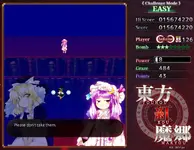
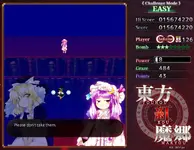
They added 3 extra spells for Flan if you capture 6 spells and QED on her extra stage, but otherwise i think it's the reverse?Also is it just me or is the remake much harder than the original? I feel like some of the patterns are pure bs
Well, I've played the original a long time ago (didn't clear). Ive 1cc'd two of the pc-98 games and i don't remember it being this hard.They added 3 extra spells for Flan if you capture 6 spells and QED on her extra stage, but otherwise i think it's the reverse?
They changed the hitboxes from square to circle so it's easier to micrododge, and with the hitbox being on...

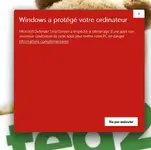
i have gotten the same thing, it said it was a malicious fileHow come it tells me that the program is a virus in my windows defender

If the game launches well enough, you could navigate to Options, Screen Settings, and change it there. I think the default is borderless. Pressing alt+enter might work, but I doubt it. If these don't work, reinstalling DirectX or applying DXVK 'might' fix the fullscreen issue. Another idea I have that I read (hopefully I'm not misunderstanding) is right-clicking the exe, and using "Create shortcut." Then for that shortcut, right-click, going to Properties, 'Shortcut,' and in the Target section, adding -w or -window at the end (you could try both), and trying to launch from that.how can i make it so the game launches in windowed instead of fullscreen? fullscreen is kinda fucking it up </3

i am running it through mac with wine so alt + enter and the create shortcut thing didnt work. the game is just a black screen when I launch it so I cant navigate to settings inside the game either. If im running it through wine would the DirectX or DXVK stuff still apply? tysmIf the game launches well enough, you could navigate to Options, Screen Settings, and change it there. I think the default is borderless. Pressing alt+enter might work, but I doubt it. If these don't work, reinstalling DirectX or applying DXVK 'might' fix the fullscreen issue. Another idea I have that I read (hopefully I'm not misunderstanding) is right-clicking the exe, and using "Create shortcut." Then for that shortcut, right-click, going to Properties, 'Shortcut,' and in the Target section, adding -w or -window at the end (you could try both), and trying to launch from that.
Well, since you're running it on Mac+Wine, you wouldn't be running it in DirectX, as that'd be translated to OpenGL 'at least.' I'm not really familiar with Macs, but I believe you could try using D3DMetal or maybe DXVK, if you aren't yet, and see how they fare. If you're using CrossOver, it should have a setting somewhere to change it. Other game launchers might as well. If you're just using straight up Wine, you'd have to manually apply it somehow.i am running it through mac with wine so alt + enter and the create shortcut thing didnt work. the game is just a black screen when I launch it so I cant navigate to settings inside the game either. If im running it through wine would the DirectX or DXVK stuff still apply? tysm